
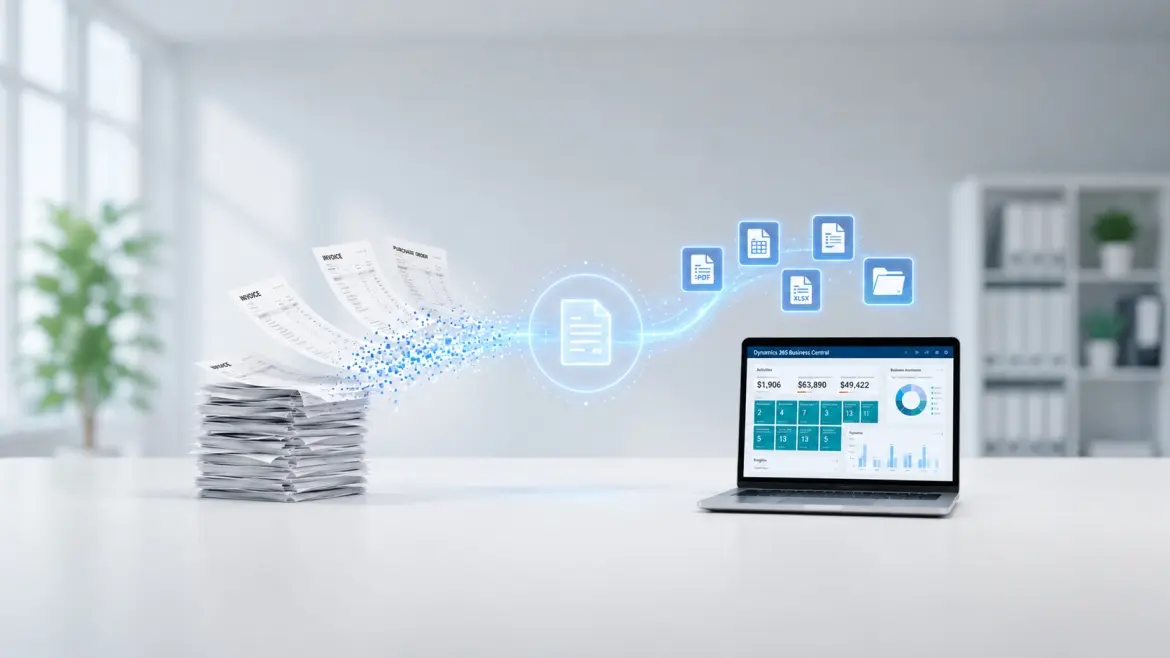
It's 6:40 PM on a Friday, and someone in your finance team is still hunting through a filing cabinet for a vendor invoice from March. The number on the screen doesn't match the number on the paper. Nobody remembers who approved it. By the time the mismatch is resolved, everyone's missed their train home.
If that scene feels a little too familiar, you're not alone, and you're probably already circling the phrase "going paperless" in your head. Maybe someone on your leadership team said it in a meeting. Maybe you Googled it at 11 PM. Either way, you've landed here because Business Central keeps coming up as the answer.
Here's the thing most vendor blogs won't tell you upfront: going paperless in Business Central isn't a toggle you switch on. It's a project, a genuinely useful one but it comes with decisions, trade-offs, and a few surprises that rarely make it into the sales pitch. This is the version of that conversation nobody has with you before you sign off on the plan.
What Does "Going Paperless" Actually Mean in Business Central?
Let's define it properly, because the term gets used loosely.
Going paperless in Business Central means routing your business documents purchase invoices, sales orders, receipts, contracts, credit memos through digital capture and storage instead of physical paper, so they live inside your ERP record rather than a folder on someone's desk.
In Business Central specifically, this happens through two related but distinct features that people often confuse:
- Attachments - files you manually drop onto a card or document (a PDF, an image, a note) for reference.
- Incoming Documents - a structured workflow where external files (email attachments or scanned paper) are captured, optionally run through an OCR service, and converted into actual document records — purchase invoices, journal lines, and so on.
That distinction matters more than it sounds like it should, because most "going paperless" disappointment traces back to a business assuming they'd get one and discovering they'd only set up the other.

Why Do Businesses Actually Want to Go Paperless?
Beyond the obvious "paper is annoying," the real business case usually comes down to three things: time, risk, and visibility.
Time, because searching for misplaced physical files eats a disproportionate share of an office worker's week, one widely cited industry study found professionals spend more time hunting for documents than they do answering emails. Risk, because paper is one coffee spill or one filing error away from a compliance headache, especially if you operate across regions with different retention rules. And visibility, because a paper invoice sitting in someone's inbox doesn't show up in anyone's dashboard, it's simply invisible until someone remembers it exists.
For finance teams specifically, the AP function is usually where the pain concentrates first: chasing physical signatures, manually keying invoice data, reconciling stacks of receipts against ledger entries. It's rarely dramatic. It's just slow, in a way that compounds every month.
The business case, by the numbers
If you need to make this case to leadership, the numbers do a lot of the talking:
- Cost per invoice: Industry benchmarks from IOFM and Ardent Partners put manual invoice processing at roughly $10–$22 per invoice, compared to $1–$5 once a workflow is meaningfully automated — a gap that can run into six figures a year for a mid-sized AP team.
- Processing time: A single manual invoice typically takes 10–15 minutes of hands-on data entry and checking, automated capture cuts that to a couple of minutes or less per document.
- Adoption gap: Roughly a third of businesses still rely primarily on paper invoices, and more than two-thirds report manually keying invoice data into their ERP or accounting software today, which tells you this isn't a solved problem yet, even at companies that "know better."
- Error rates: Manual data entry commonly carries error rates in the low single digits, while automated capture with validation rules typically brings that down to well under 1%.
None of these numbers are Business Central–specific, they're AP industry benchmarks, but they're the numbers a CFO will want to see before signing off on the project.
Who Should Actually Be Driving This Inside Your Business?
Here's a detail that gets glossed over: going paperless is not primarily an IT project, even though it looks like one on paper (no pun intended).
The businesses that get this right treat it as a change management project with an IT component, not the other way around. That means:
- Finance or Operations leadership owns the "why" and sets the goals (faster invoice processing, fewer reconciliation errors, audit-readiness).
- IT or your Business Central partner owns the "how" — setup, OCR configuration, permissions, integrations.
- A process owner from each department (AP, procurement, sales admin) translates the old paper habit into the new digital one for their team.
Skip that third role and you'll get a technically perfect setup that nobody actually uses, because the invoice still lands in someone's inbox first out of habit, and it never makes it into Incoming Documents at all.

When Is the Right Time to Start, and How Long Does It Actually Take?
There's no universal answer here, and any blog that gives you a fixed number of weeks is guessing. What determines your timeline is less about Business Central and more about your starting point.
A few honest signals that you're ready:
- You've mapped your current document flow, where paper enters, who touches it, where it gets stuck.
- You know which document types you're digitizing first (most businesses start with purchase invoices, since the ROI is easiest to see).
- Leadership has agreed on realistic expectations, some organizations move in a matter of days for a single process, others phase it in over months, especially with legacy backlogs or multi-entity setups.
The mistake is treating "when" as a purely technical question. The right time isn't when the software is ready, it's when your team has agreed on the new process, not just the new tool.
Where Do Most Business Central Paperless Projects Actually Break Down?
This is the part almost nobody tells you before you start, so let's be direct about it.
OCR isn't magic on day one. Business Central's Incoming Documents feature can send scanned or emailed files to an external OCR service, which converts them into electronic records you can post directly as invoices. But plain OCR on an unfamiliar vendor layout typically lands somewhere in the 85–95% accuracy range, not the near-perfect read people expect, it may misread a total, or mistake a logo for a vendor name. You correct it, and the service learns for that vendor going forward. Nobody mentions that the first few weeks involve more correcting than automating.
"Paperless" doesn't mean "paper never enters the building." Your vendors, auditors, and legal partners are not on your timeline. Signed contracts, notarized documents, and some compliance paperwork will keep arriving physically, at least for a while. The realistic goal is "paper-light," not zero-paper, and setting that expectation early saves a lot of frustration later. It's also worth remembering that physical storage itself isn't free: businesses still leasing space for filing cabinets are typically paying somewhere in the range of $9–$13 per square foot annually just to store paper nobody's actively using.
Storage and performance matter more than people expect. As document volume grows, where those attachments actually live becomes a real architectural question, not an afterthought, which is why recent Business Central releases have introduced options to store document attachments outside the core database, specifically to keep performance steady as archives grow.
Old paper doesn't digitize itself. Everyone plans for new documents going forward. Almost nobody budgets time for the years of filing-cabinet backlog that still needs indexing, especially if there's an audit or dispute that could require pulling a five-year-old invoice.
How Do You Actually Roll This Out Without Disrupting Operations?
A phased approach beats a big-bang rollout almost every time. In practice, that looks like:
- Audit first. Map current document types, volumes, and where bottlenecks live before configuring anything.
- Pilot with one document type, one department. Purchase invoices in AP is the most common starting point high volume, clear ROI, contained blast radius if something goes wrong.
- Set up Incoming Documents (not just Attachments) if the goal is to actually convert files into postable records, and connect an OCR service appropriate to your region.
- Build the approval workflow before go-live, not after, deciding who signs off on a digital invoice is a policy decision, not a technical one.
- Train for the exception, not just the happy path. Your team needs to know what to do when OCR misreads a total or a vendor sends a format it can't parse, because that will happen.
- Expand deliberately. Once AP is stable, extend to sales documents, HR files, or contracts, with the same audit-first discipline each time.
Consider a mid-sized distribution business running Business Central across two warehouses. Their AP team was manually keying roughly 200 vendor invoices a month, with a two-day average turnaround before an invoice was even entered into the system, before approvals started. After setting up Incoming Documents with OCR and a structured approval workflow, data entry time per invoice dropped sharply, and the finance team could see exactly where an invoice sat in the approval chain instead of asking around. The catch: it took roughly six weeks of OCR corrections before accuracy stabilized for their top twenty vendors. That's the trade-off nobody puts on the case study slide, the win is real, but it isn't instant.
So, Is It Worth It?
Going paperless in Business Central is genuinely worth doing, less time lost to searching, tighter compliance, faster approvals, real visibility into where a document sits in your process. But it works best when you go in with accurate expectations: it's a change management project as much as a technical one, OCR needs a training period, some paper will still walk through your door, and the payoff builds over weeks, not overnight.
The businesses that get frustrated are usually the ones who expected a switch to flip. The ones who get the ROI are the ones who planned for the friction in advance.
If you're mapping out what a paperless AP process could look like on your specific setup, current version, document volume, region-specific compliance needs, that's a conversation worth having with a partner who's done this rollout before, not just read about it.