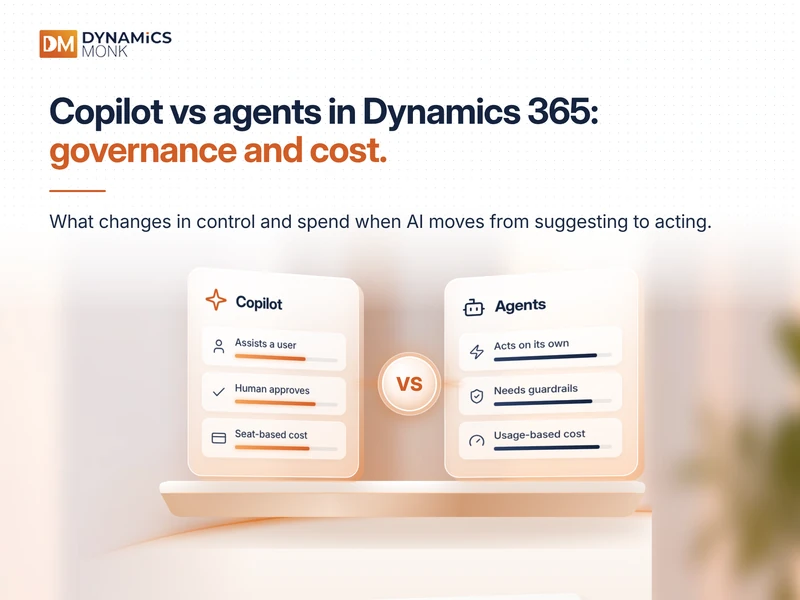
A seller asks Copilot to summarise an account before a call. Overnight, a research agent updates forty opportunities on its own. Both run inside Dynamics 365, but they carry very different risks and costs. Here is where the boundary sits, which controls apply on each side, and what you should budget.
Quick answer: Copilot assists a person inside that person's permissions and is licensed per user. Agents act under their own identity and are billed by consumption. Govern Copilot through data permissions. Govern agents through identity, limits, testing and audit.
Where the Boundary Sits
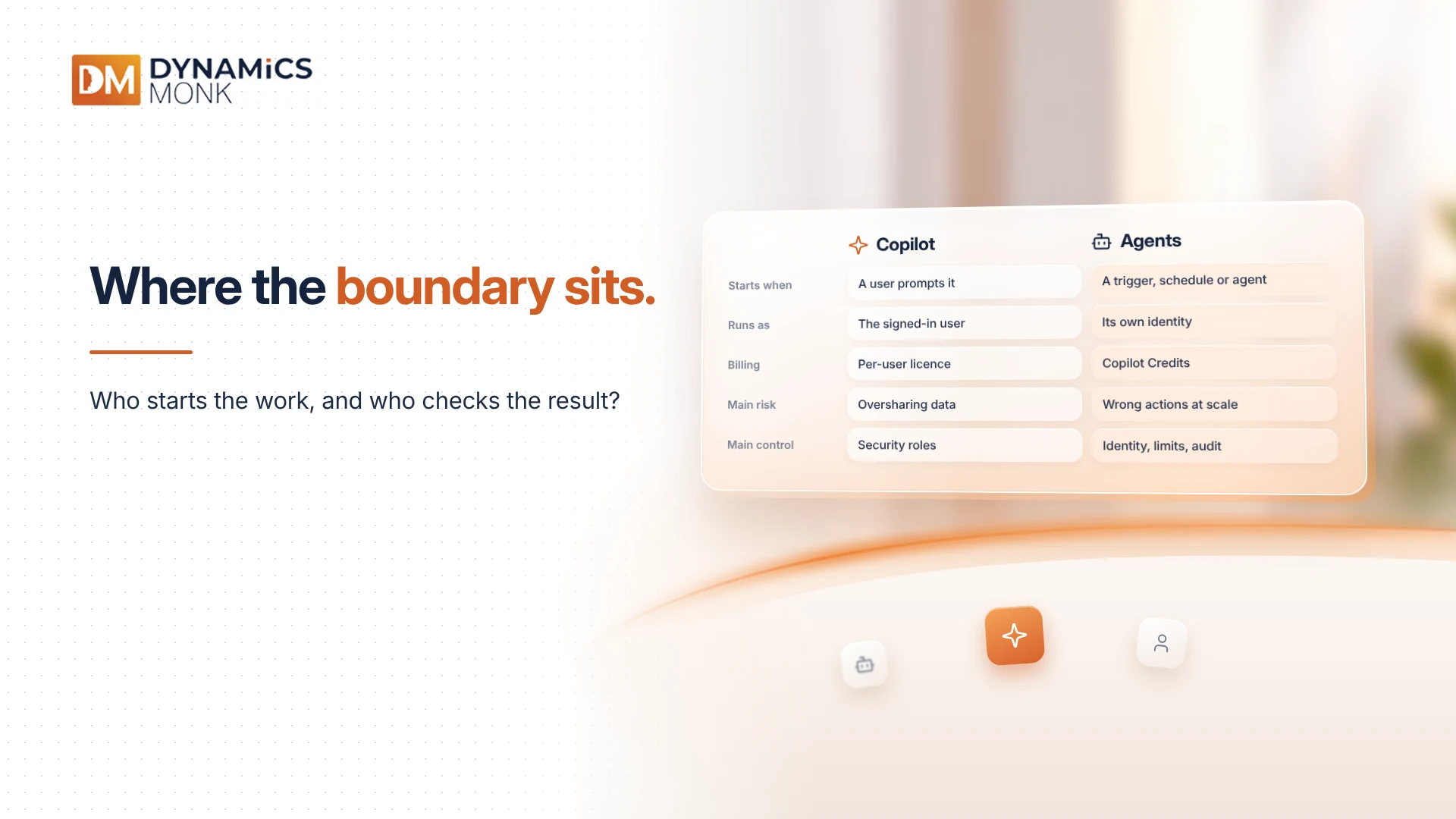
The simplest test is who starts the work and who checks the result. Copilot waits for a prompt and a person reviews the output. An agent can start from a trigger, a schedule or another agent, and may write records without review.
- Starts when: Copilot – a user prompts it | Agents – a trigger, schedule or another agent
- Runs as: Copilot – the signed-in user | Agents – its own identity, or a stored connection
- Billing: Copilot – per-user licence | Agents – Copilot Credits (consumption)
- Main risk: Copilot – surfacing data users should not see | Agents – wrong actions at scale, runaway cost
- Main control: Copilot – security roles | Agents – identity, limits, testing, audit
Why the Line Is Blurring in 2026
Two Dynamics 365 Sales agents reached general availability in April 2026: the Opportunity Research Agent on 15 April and the Sales Research Agent on 30 April. Copilot Studio now supports multi-agent orchestration, so several agents can work together as one coordinated system.
Connectivity has widened too. An MCP server lets a single agent pull context from Business Central, Dataverse and SharePoint in one conversation. MCP (Model Context Protocol) is an open standard that lets an agent call tools and read data in other systems. One agent can now touch several systems in a single task, so your governance must follow the whole chain.
Governing Copilot: The Data Layer
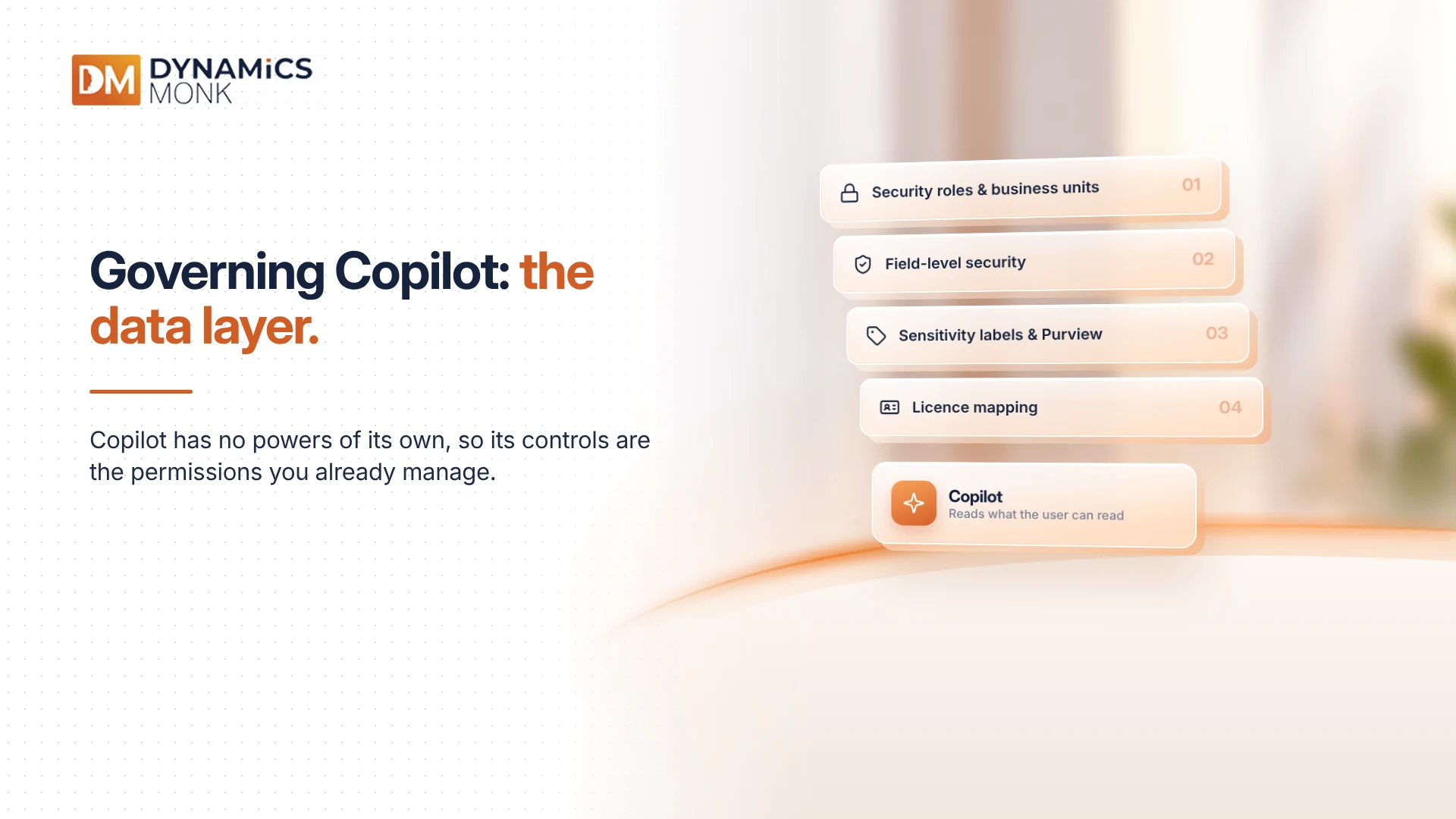
Copilot has no powers of its own. It reads what the user can read. That makes the controls familiar:
- Security roles and business units in Dataverse. Review privilege depth (user, business unit, organisation). Broad "organisation" read access is the usual cause of oversharing.
- Field-level security. Protect columns such as pricing, margin or personal data, so they stay hidden even if the table is readable.
- Sensitivity labels and Purview policies. These keep Microsoft 365 content, which Copilot also draws on, correctly classified.
- Licence mapping. Copilot in Microsoft 365 and Copilot inside a Dynamics 365 app are different products. One licensing advisory warns that users needing both can face about $60 per user per month in AI spend on top of base licences. Verify your own agreement.
Governing Agents: Five Technical Controls
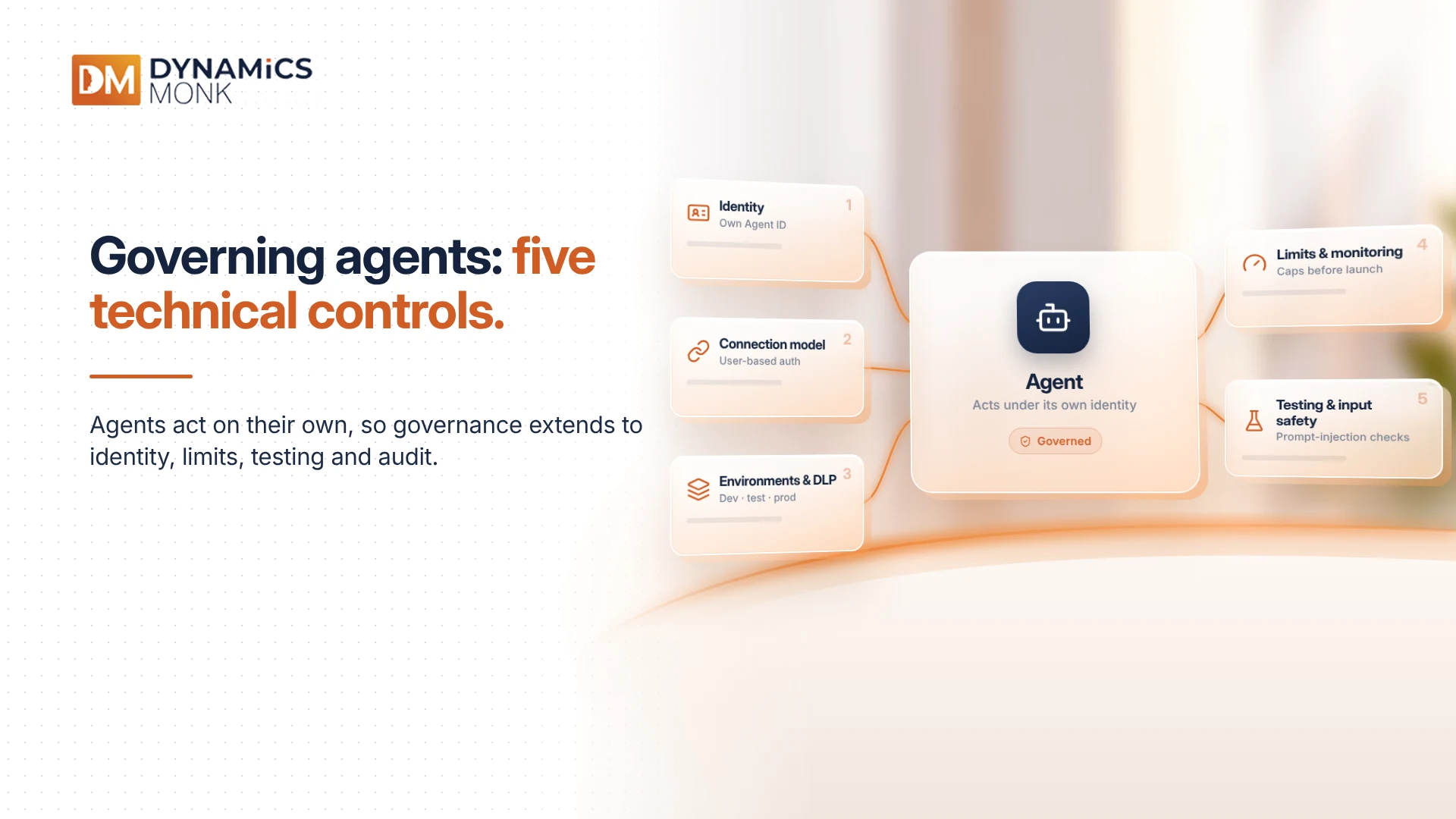
1. Identity. Every agent needs its own identity, not a shared login. With Agent 365, every agent receives its own Agent ID, so least-privilege permissions can be applied to each one. Conditional Access for agents requires Entra ID P1 or P2, and access reviews and lifecycle workflows require Entra ID Governance.
2. Connection model. Decide whether the agent runs as the end user or under a fixed account. A fixed account with broad rights quietly lets every user reach data they should not. Prefer user-based authentication for anything that reads sensitive records.
3. Environments and connector policy. Keep development, test and production in separate Power Platform environments. Use data loss prevention (DLP) policies to classify connectors as business, non-business or blocked, so an agent cannot move CRM data into a consumer service. Managed Environments add usage reporting and sharing limits.
4. Limits and monitoring. Set caps before launch. Dynamics 365 AI Hub in Customer Insights - Journeys lets admins set guardrails such as follow-up limits and processing caps, and monitor usage per environment. Log agent activity in Purview audit so you can show what an agent did and why.
5. Testing and input safety. Agents that read emails, documents or web content can be manipulated by hidden instructions, known as prompt injection. At RSAC 2026, Microsoft added network-level prompt-injection blocking through Entra Internet Access. Test agents against hostile inputs, and add a human approval step before any write action that cannot be undone.
What Each Side Costs
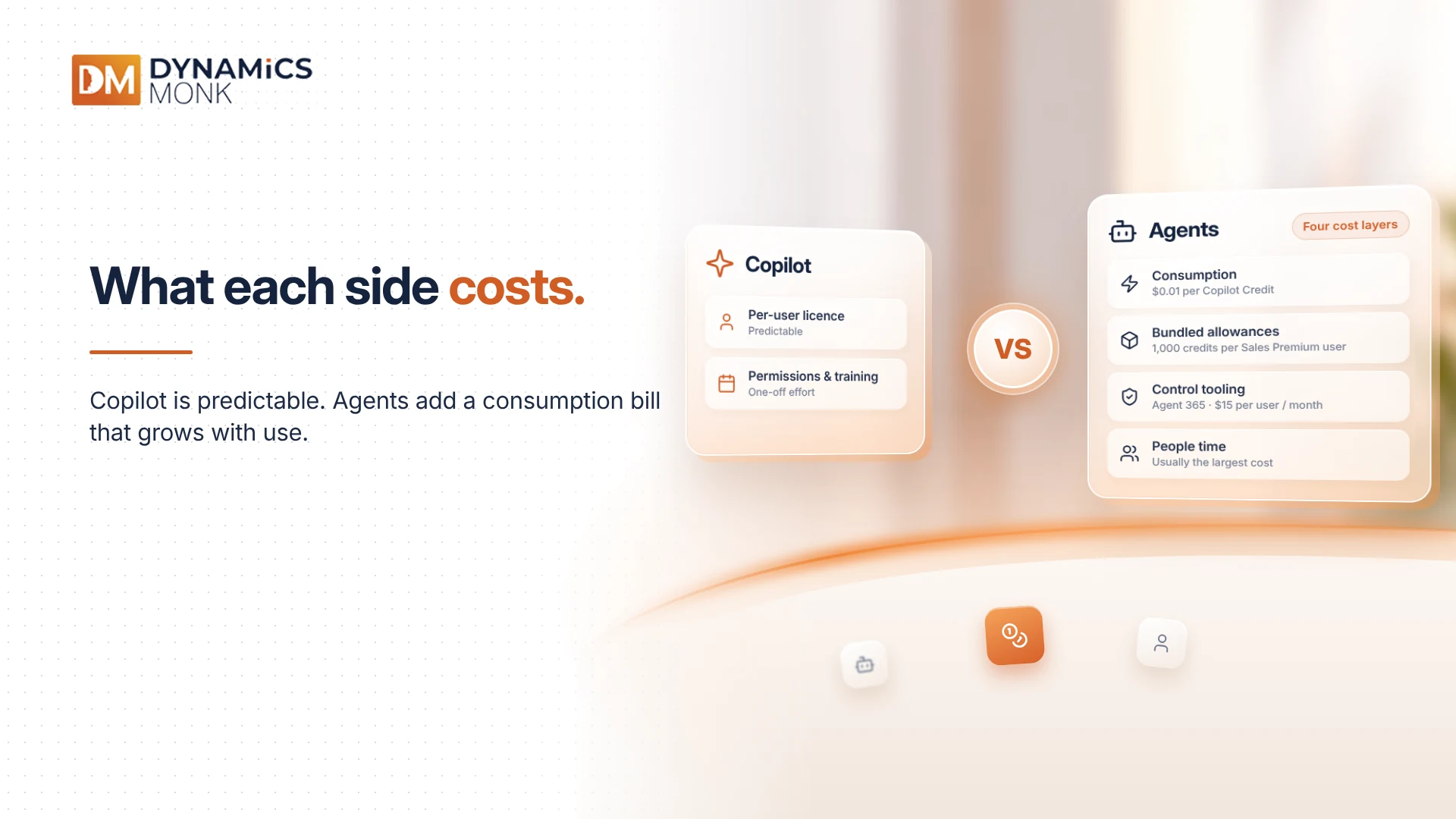
Copilot is predictable: per-user licences, plus the time to tidy permissions and train staff.
Agents have four cost layers:
- Consumption. Agents use Copilot Credits when they interact with users or act on a user's behalf. Pay-as-you-go costs $0.01 per credit, and a prepaid pack of 25,000 credits costs $200 per month. Microsoft moved from per-message to per-credit billing in September 2025. As an illustration, an agent consuming 100,000 credits a month costs about $1,000.
- Bundled allowances. Dynamics 365 Sales Premium includes 1,000 Copilot Credits per user each month, and credits are required to run prebuilt and custom agents. Employee-facing agents used by people with a Microsoft 365 Copilot licence are included at no extra credit cost, within fair usage limits.
- Control tooling. Agent 365 became generally available on 1 May 2026, licensed per user. The price is $15 per user per month. Microsoft says it works best with Microsoft E5 as a base.
- People time. Owners, reviews, testing and retirement. This is usually the largest cost and rarely appears in a quote.
Billing is also configured per environment. Pay-as-you-go is set through a billing plan linked to each environment. Map each agent to the environment, and the cost centre, that will carry its bill.
A Five-Check Test Before Handing Work to an Agent
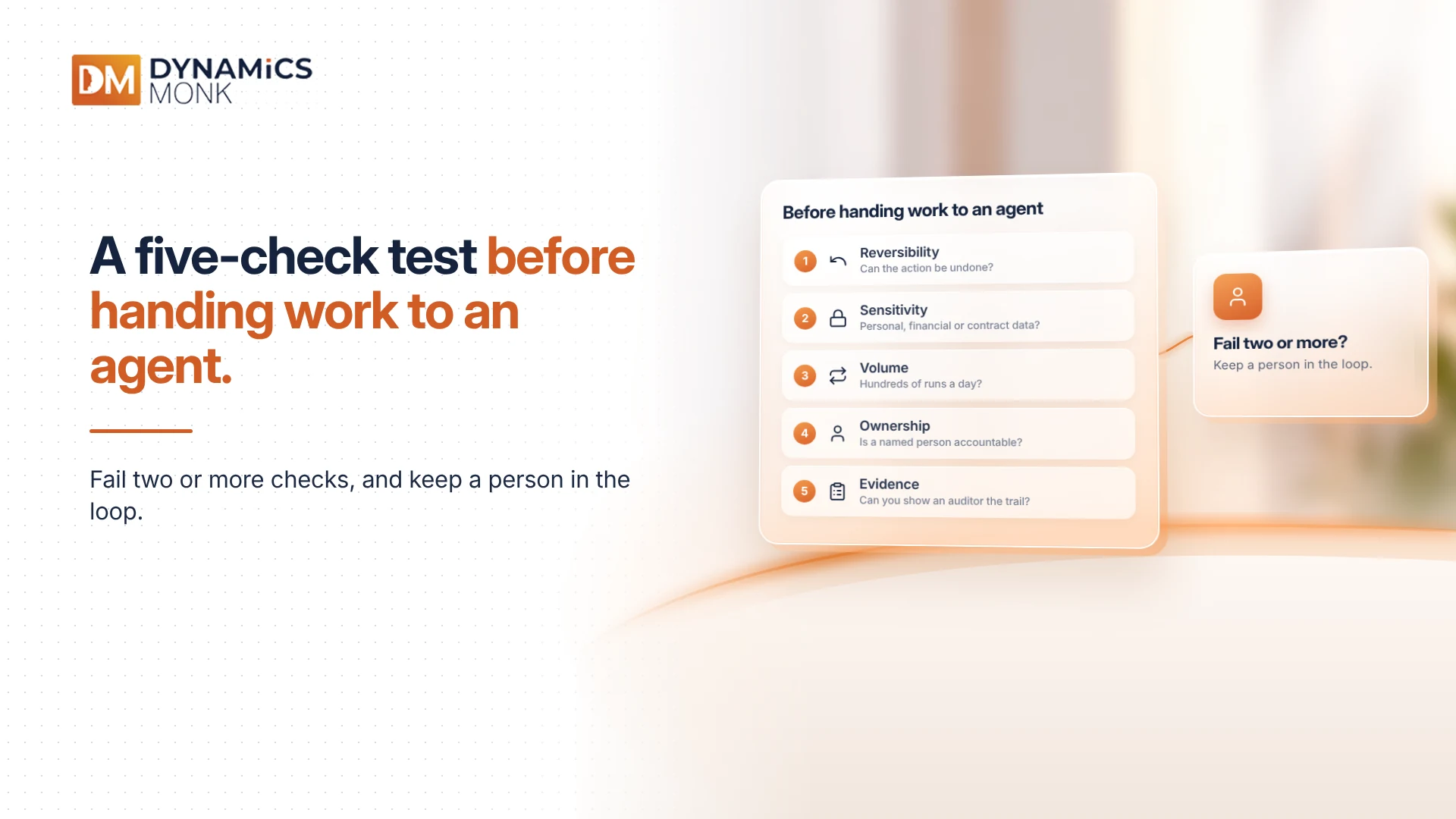
- Reversibility: can the action be undone?
- Sensitivity: does it touch personal, financial or contract data?
- Volume: will it run hundreds of times a day?
- Ownership: is a named person accountable?
- Evidence: can you show an auditor the full trail?
Fail two or more, and keep a person in the loop.
Frequently Asked Questions
Does Microsoft 365 Copilot cover agent usage in Dynamics 365?
Only partly. Zero-rating applies to employee-facing agents for licensed users. Autonomous agents and Dynamics 365 agents can still consume credits, so check each agent's billing.
Do we need Agent 365 to use agents?
No. It is a control layer, not a requirement. Once agents multiply across teams, a central registry and agent identities become hard to do without.
Can an agent see more data than the user who triggered it?
Yes, if it runs under a fixed account with wide permissions. This is why the connection model matters.
Final Thoughts
Copilot helps a person act, so its governance centres on data permissions. Agents act themselves, so governance extends to identity, limits, testing and audit, plus a consumption bill that grows with use. Budget for supervision from day one.