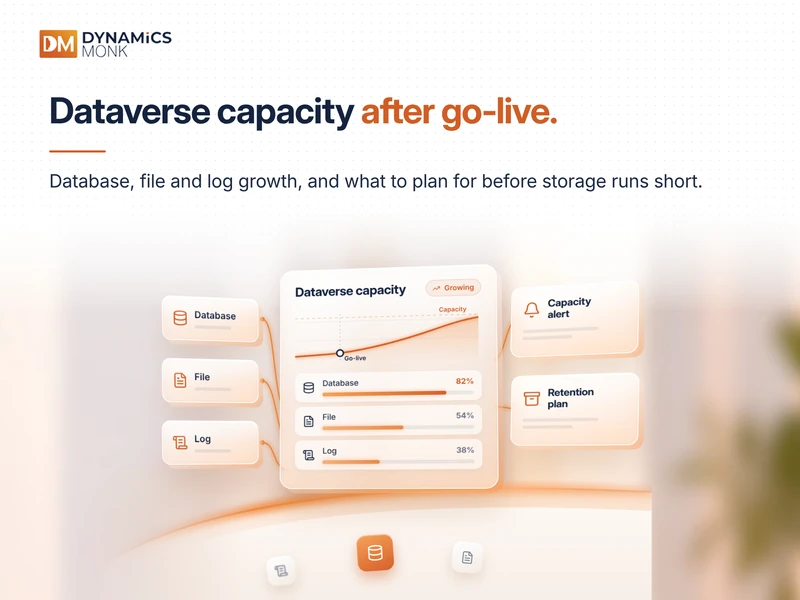
A Microsoft Dataverse environment may operate within its allocated storage limits during implementation and still face capacity pressure several months after go-live. As users create records, upload documents, run workflows and interact with business applications, storage consumption continues to grow.
This growth is not always visible to finance teams until a capacity report shows limited remaining storage or additional capacity needs to be purchased.
The challenge is that Dataverse does not use a single storage category. It separates consumption into database, file and log capacity. Each category serves a different purpose, and each grows according to different usage patterns.
Understanding these differences is essential for organisations using Microsoft Power Platform and Dynamics 365. Effective Dataverse capacity planning helps administrators identify the source of storage growth, forecast future requirements and manage costs before capacity becomes an operational concern.
What Is Dataverse Capacity Planning?
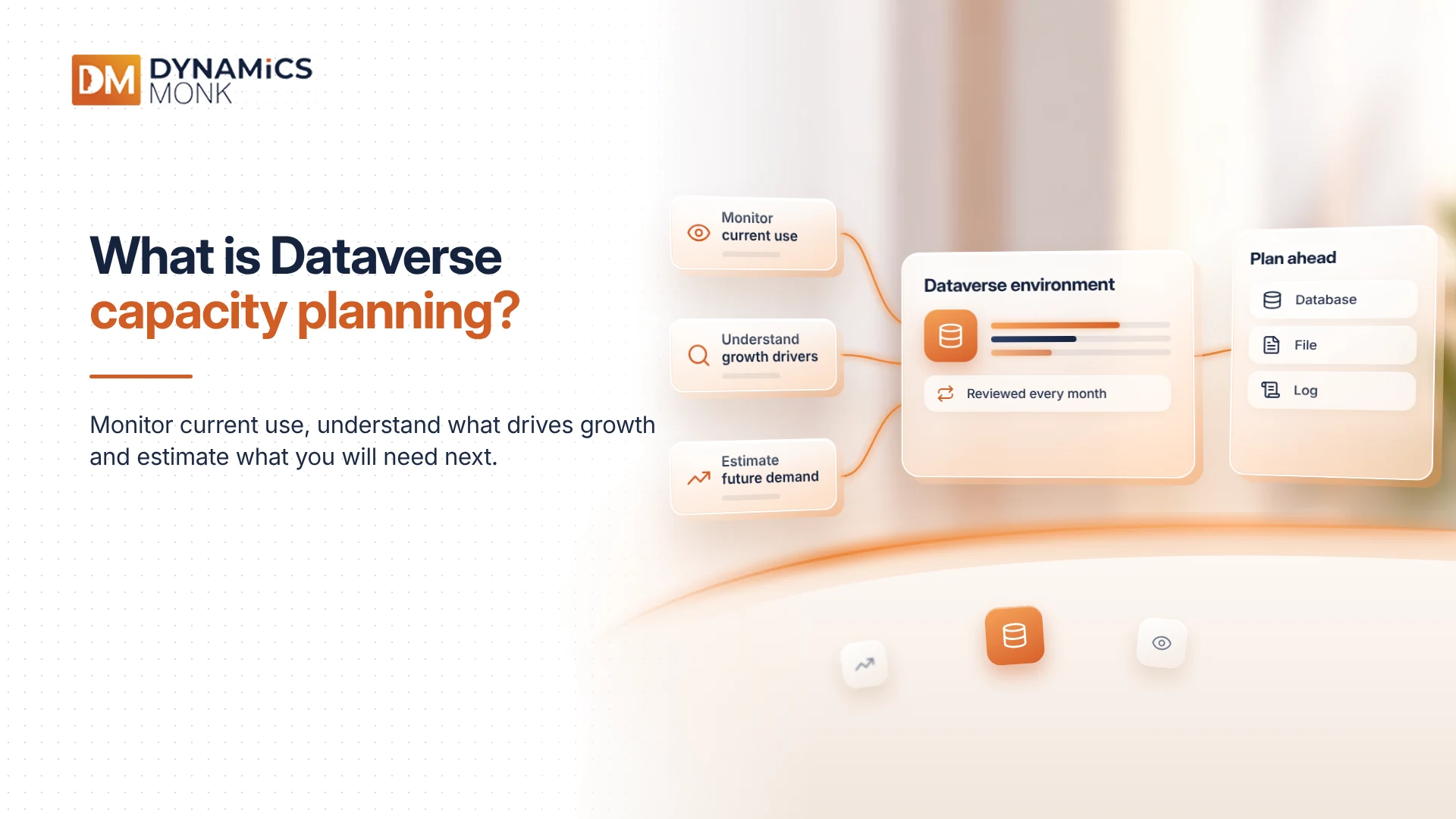
Dataverse capacity planning is the process of monitoring current storage consumption, understanding what drives growth and estimating the capacity required to support future business activity.
It involves more than checking the total storage available in an environment. Administrators must understand how records, documents, images, auditing and system-generated data contribute to different storage categories.
For example, a customer service application may generate database growth through case records and related activities. The same application may consume file capacity through email attachments and uploaded documents. If auditing is enabled, changes to records can also contribute to log capacity.
These activities may occur within the same application, but their storage impact is not identical.
A practical Dataverse capacity planning strategy therefore begins with understanding the three storage categories.
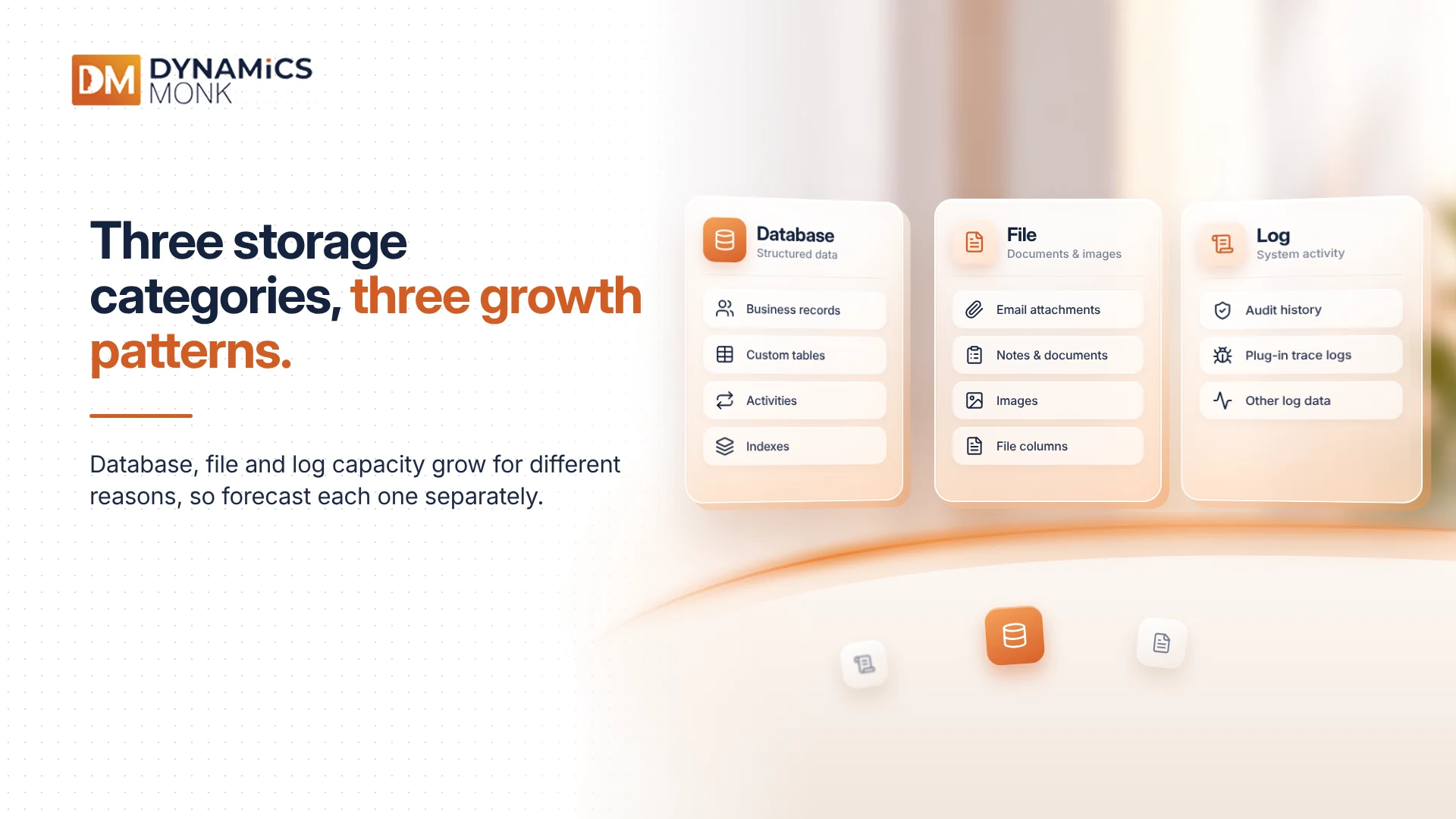
Understanding the Three Dataverse Storage Categories
1. Database Capacity: Structured Business Data
Database capacity supports the structured data stored in Dataverse. This includes business records, relationships between tables and other database components required by applications.
Common contributors include:
- Account, contact, lead and case records
- Custom tables and their associated records
- Activities and other transactional data
- System and application metadata that contributes to database consumption
- Database indexes and related storage overhead
Database consumption often increases as organisations expand their use of Dynamics 365 and Power Platform applications. New business units, additional processes, higher transaction volumes and custom tables can all contribute to growth.
For example, an organisation that initially uses Dynamics 365 for sales may later introduce customer service processes, additional custom tables and integrations with external systems. As the volume of records increases, database consumption may rise accordingly.
What finance teams should understand: Database growth is closely connected to business activity and application design. Forecasting should account for expected record volumes, new workloads and changes to data retention practices.
2. File Capacity: Documents, Attachments and Images
File capacity supports files stored within Dataverse. This can include documents attached to business records, images, email attachments and content stored in supported file columns.
Common contributors include:
- Email attachments
- Notes and documents attached to records
- Images uploaded through business applications
- Files stored in Dataverse file columns
- Other supported file-based content
File consumption can increase rapidly when applications become part of everyday document-handling processes.
Consider a customer service team that stores invoices, screenshots, signed forms and supporting documents against customer cases. Each file may appear small in isolation, but thousands of cases can create substantial storage demand over time.
The same pattern can occur in field service, healthcare, financial services and other environments where users regularly upload supporting documents.
What finance teams should understand: File capacity should be forecast separately from database capacity. An organisation may have a manageable volume of structured records while storing a growing collection of large attachments and documents.
3. Log Capacity: Auditing and System Activity
Log capacity supports specific types of system-generated data. Depending on the features and workloads in use, this can include audit history, plug-in trace logs and applicable elastic-table data.
Common contributors include:
- Dataverse auditing records
- Plug-in trace logs
- Other supported log data generated by application activity
Auditing is particularly important to understand. When auditing is enabled, Dataverse can record changes to data and other configured activities. This information helps organisations investigate changes, support compliance requirements and maintain accountability.
However, retaining audit history also has a storage cost. The volume generated depends on the tables and activities being audited, transaction frequency and retention settings.
Plug-in trace logging can also contribute to consumption, especially when detailed logging remains enabled for troubleshooting over extended periods.
What finance teams should understand: Log growth is influenced by configuration and operational practices, not only by the number of business records. Retention requirements and logging settings should be reviewed alongside storage forecasts.
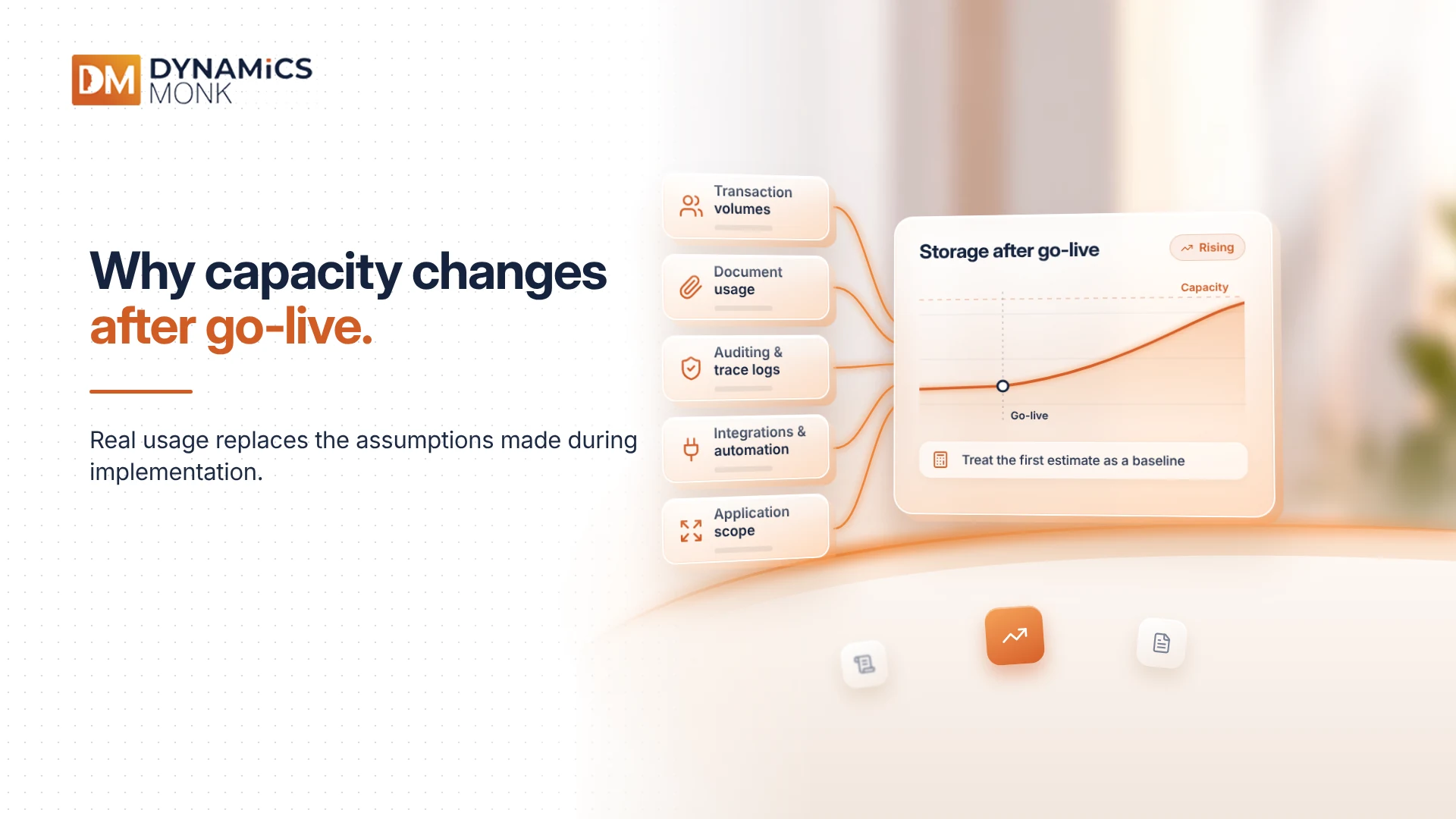
Why Dataverse Capacity Changes After Go-Live
Storage consumption rarely remains static after implementation. Once users begin working in the environment, real operational patterns replace the assumptions made during project planning.
Several factors can influence Dataverse capacity growth.
Increasing Transaction Volumes
As more employees use Dynamics 365 and Power Platform applications, the number of records and related activities increases. New teams, business units and workflows can accelerate this growth.
Expanding Document Usage
Users may begin attaching more documents to records than originally anticipated. Email integrations, image uploads and file-based processes can increase file consumption even when database growth remains relatively stable.
Auditing and Troubleshooting
Audit history and plug-in trace logs can accumulate as systems process more transactions. Without suitable retention and cleanup practices, older data may continue to consume storage.
Integrations and Automation
Integrations can create additional records, update existing information and generate supporting activity data. Automated processes may run frequently and produce more data than manual workflows.
Changes to Application Scope
A Dataverse environment that initially supports one application may eventually serve several departments or business processes. Additional tables, records, documents and automation can change its storage profile significantly.
These factors make post-go-live monitoring essential. Initial capacity estimates should be treated as a baseline that requires regular review, rather than a permanent measure of future requirements.
How Dataverse Capacity Entitlements Work
Microsoft Dataverse capacity is managed through separate database, file and log categories. The available capacity depends on the organisation's licences, applicable entitlements and any additional storage purchased.
Organisations should review their actual entitlements in the Power Platform admin center rather than relying on assumptions based on the number of users alone.
Capacity categories also have specific rules governing how excess consumption is handled. Where Microsoft's applicable capacity-borrowing rules permit it, unused capacity in one category may help offset an overage in another. The direction and limits of this borrowing must be checked against the current Microsoft documentation and the organisation's entitlement.
This distinction matters because unused capacity in one category does not automatically mean every other category has sufficient storage.
For example, an organisation might have available database capacity but still exceed its file allocation because of document-heavy workloads. Administrators should evaluate each category individually and verify whether any applicable borrowing rules reduce the effective overage.
What Happens When Dataverse Exceeds Its Capacity?
When an organisation exceeds its available Dataverse storage, it may need to reduce consumption, acquire additional capacity or both. The impact depends on the category involved and the applicable Microsoft enforcement rules.
Capacity pressure can create several challenges:
- Additional costs: The organisation may need to purchase extra storage to support continued usage.
- Operational constraints: Certain administrative or environment operations may be restricted under applicable over-capacity rules.
- Unplanned budget requirements: Finance teams may have to accommodate storage costs that were not included in the original project budget.
- Reduced planning visibility: Without reliable forecasts, it becomes harder to distinguish temporary growth from a sustained increase in storage requirements.
The exact consequences depend on Microsoft's current policies, licensing arrangements and the environment's status. Administrators should consult the Power Platform admin center and current Microsoft documentation before deciding on remediation.
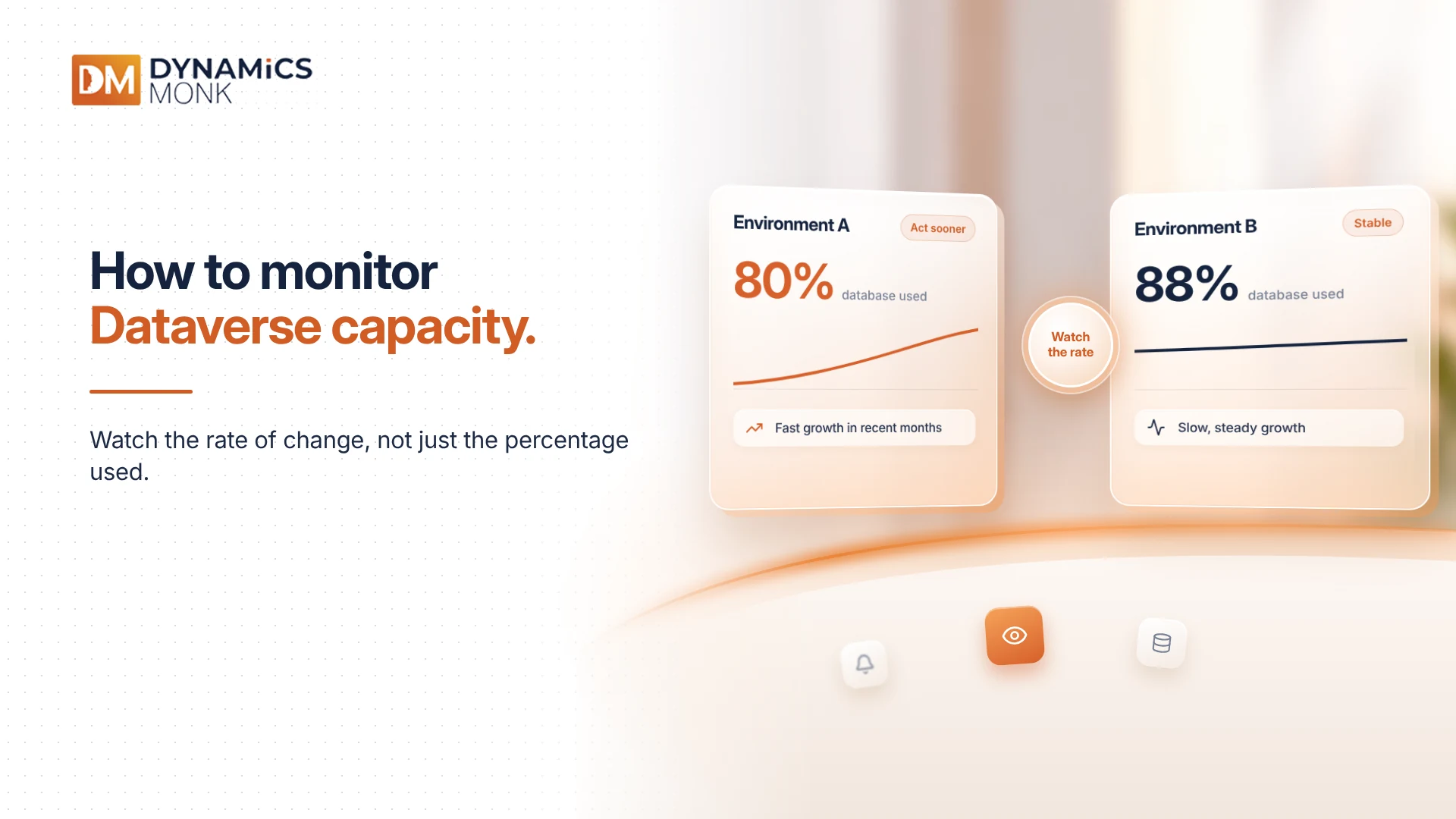
How to Monitor Dataverse Capacity
The Power Platform admin center is the primary place to review Dataverse capacity consumption and available storage information.
Administrators should examine database, file and log usage separately, identify environments with high consumption and compare current usage with previous reports where historical data is available.
Monitoring should focus on both the current position and the rate of change.
For example, an environment using 80% of its database allocation may appear manageable. However, if consumption has increased significantly over the previous few months, the organisation may need to act sooner than an environment with higher usage but slower growth.
A useful monitoring approach includes:
- Reviewing storage consumption by category
- Identifying environments approaching their available capacity
- Investigating the tables and activities contributing to growth
- Reviewing file-heavy processes and retention practices
- Monitoring auditing and plug-in trace logging
- Comparing actual consumption with projected business growth
Administrators should also account for reporting delays. Storage figures may not immediately reflect cleanup or deletion activities, so changes should be validated through subsequent reports rather than assumed to appear instantly.
Managing Dataverse Storage Growth
Capacity management is most effective when it combines technical investigation with clear data-retention policies.
Review Data Retention
Identify records and logs that are no longer required for business operations, compliance or reporting. Apply retention rules that reflect the organisation's obligations before removing historical data.
Investigate File Consumption
Review document-heavy processes, including email attachments, images and files associated with business records. Establish suitable practices for managing older files where retention requirements allow.
Manage Auditing and Trace Logs
Confirm that auditing is enabled for the tables and activities that require it. Review retention settings and troubleshooting practices to avoid retaining unnecessary log data indefinitely.
Assess Application and Integration Design
Review custom tables, integrations and automated processes that create or duplicate records. Where appropriate, refine the design to reduce unnecessary data generation while preserving business requirements.
Plan Additional Capacity Where Necessary
Cleanup alone may not be sufficient when storage growth reflects legitimate business demand. If the organisation expects continued expansion, additional capacity may be the appropriate option.
The objective is not simply to reduce storage consumption. It is to ensure that the organisation retains the data it needs while keeping capacity costs predictable.
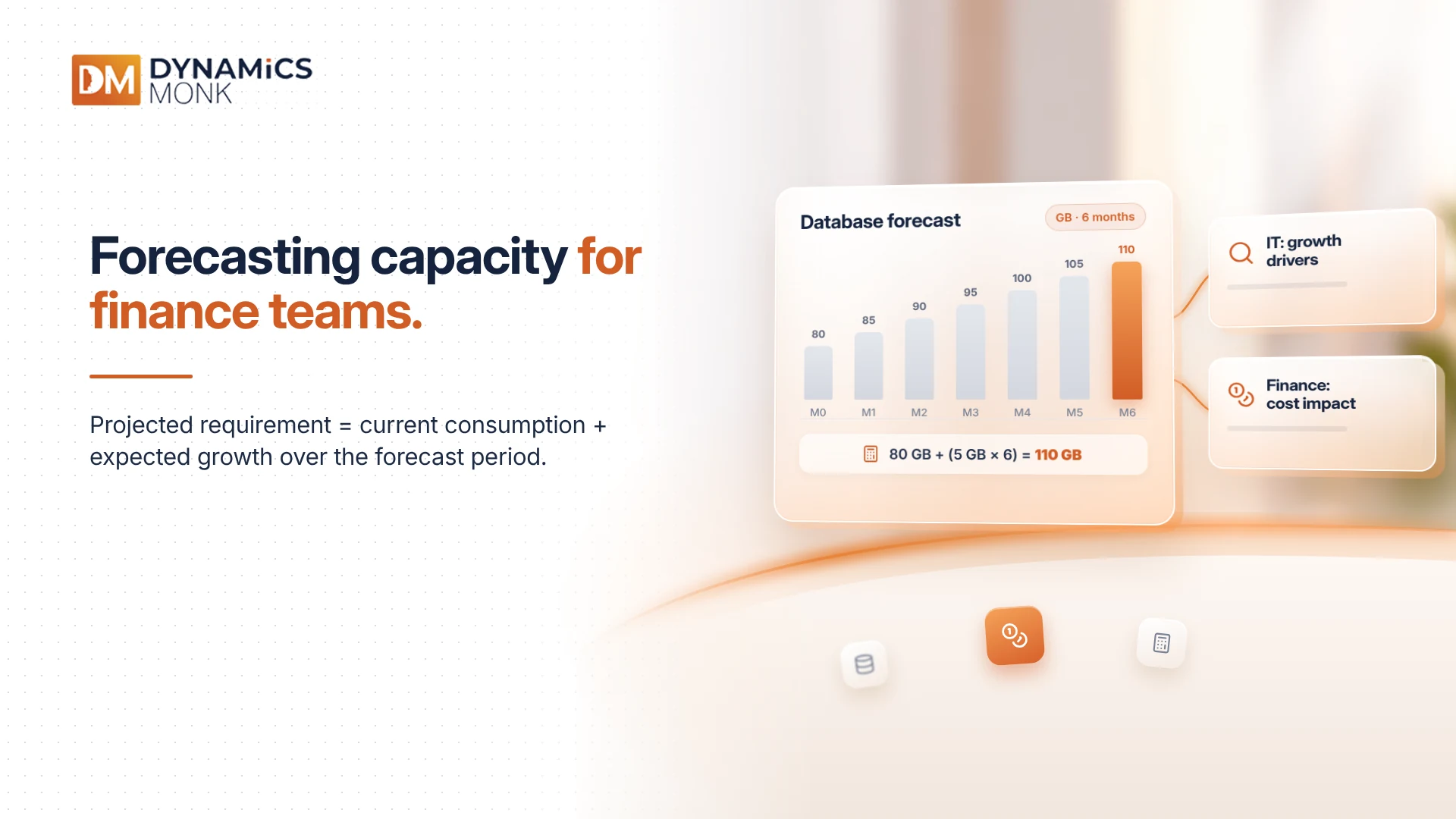
Forecasting Dataverse Capacity for Finance Teams
Finance teams need a forecast that connects storage consumption with business activity and expected costs.
A practical starting point is to estimate the current usage, monthly growth rate and expected change in workload for each storage category.
For example, if database consumption is increasing by 5 GB per month, the organisation can use that trend as an initial estimate of future requirements. The forecast should then be adjusted for planned projects, new integrations, changing transaction volumes and expected data-retention activities.
The calculation is straightforward:
Projected capacity requirement = Current consumption + Expected growth over the forecast period
Suppose an environment currently uses 80 GB of database capacity and is expected to grow by 5 GB per month. At the same growth rate, projected consumption after six months would be approximately 110 GB, before accounting for any changes in workload or cleanup.
This estimate is not a substitute for detailed capacity analysis, but it provides a starting point for budget discussions.
Finance and IT teams should review forecasts together. IT can explain the technical drivers of storage growth, while finance can assess the likely cost implications and timing of additional capacity requirements.
Dataverse Capacity Planning Must Continue After Go-Live
Dataverse capacity planning is an ongoing operational responsibility, not a one-time implementation task. Database, file and log consumption respond to different patterns of business activity, application design and data-retention practices.
Organisations that monitor these categories separately can identify growth earlier, make better-informed licensing decisions and reduce the risk of unexpected storage costs.
For finance and IT teams, the goal is straightforward: understand what is consuming capacity, estimate how demand will change and make storage decisions before the environment reaches its limits.