
What if the biggest threat to your Dynamics 365 investment isn't a system outage, but the fact that nothing ever crashes at all?
That sounds backwards. Systems that don't break are supposed to be the good ones. But talk to any CFO or IT Director six months after a "successful" D365 go-live, and you'll hear a familiar story: the dashboards are technically live, the integrations are technically connected, and yet finance is still exporting CSVs into Excel every Friday to reconcile numbers that should already match. Nothing broke. Everything just quietly stopped working the way it was supposed to.
That's the hidden cost of a bad Dynamics 365 integration. It doesn't announce itself. It shows up as a "small" delay here, a duplicate customer record there, a report that's always a day behind, until one day someone adds it all up and realizes the ERP system you paid six or seven figures for is running on duct tape and manual workarounds.
Let's talk about what costs you, why it happens, and more importantly, how to fix it before it fixes your budget for you.

The Integration Tax You Didn't Know You Were Paying
Every disconnected system in your Dynamics 365 environment charges interest, even when it looks stable on paper. Industry analysts increasingly call this integration technical debt, the gap between systems that are "connected" and systems that actually talk to each other in real time, with clean, trustworthy data.
Here's what that debt looks like in practice:
- Finance teams manually reconciling numbers between Business Central, Dataverse, and third-party tools because scheduled syncs run once a day instead of in real time
- Sales and operations working from different versions of the truth, because a CRM update doesn't reflect in the ERP for hours
- Support tickets and rework hours piling up as teams build spreadsheet workarounds that quietly become "the process"
None of this shows up on a licensing invoice. It shows up in payroll hours, missed forecasts, and decisions made on stale data, which is exactly why leadership rarely sees it coming until it's expensive.
Why Dynamics 365 Integrations Go Bad in the First Place
Most broken integrations don't start broken. They start "good enough."
Point-to-point connections built for speed, not scale. A quick integration between two systems seems efficient, until you have five systems and twenty brittle connections between them, each one a potential point of failure.
Real-time expectations running on batch-mode architecture. If your integration polls for updates on a schedule instead of syncing on business events, your "live" data is really just yesterday's data with better branding.
No error handling or monitoring. When an integration fails silently, nobody finds out until a customer complains or an auditor asks why two systems disagree.
Underestimating integration complexity during scoping. Teams budget for the software and the obvious workflows, but integration work connecting D365 to CRM, e-commerce, HRIS, or legacy ERP is consistently where projects run over, both in cost and in time.
Treating integration as a one-time task instead of an evolving capability. Businesses change. New tools get added. If your integration architecture can't flex with the business, it becomes the thing holding the business back.

What It Actually Costs You to Ignore It
This is where "hidden" stops being an abstract word and starts having a dollar sign in front of it.
Poor integration architecture doesn't just create inconvenience, it creates compounding financial risk. Point-to-point integration sprawl can mean paying for exponentially more connections than a well-designed hub-and-spoke architecture would ever need, with ongoing maintenance costs that only grow as you add systems. Rebuilding a failed integration architecture after the fact costs far more than designing it correctly the first time, often running into six or seven figures for enterprise environments once you factor in downtime, data cleanup, and lost productivity.
And the softer costs are arguably worse: a leadership team that stops trusting its own dashboards, an ops team that reverts to spreadsheets "just to be safe," and a slow erosion of the ROI case that got the D365 project approved in the first place. When the system your organization paid for becomes the system your organization works around, you haven't just lost efficiency, you've lost trust in the investment.
How to Fix It Before It Breaks You
The good news: none of this is inevitable, and very little of it requires a full re-implementation. Here's where to start.
- Audit before you architect. You can't fix what you haven't mapped. Get a clear picture of every system currently connected, or supposed to be connected, to your Dynamics 365 environment, and how data actually moves between them today, not how the original project plan said it would.
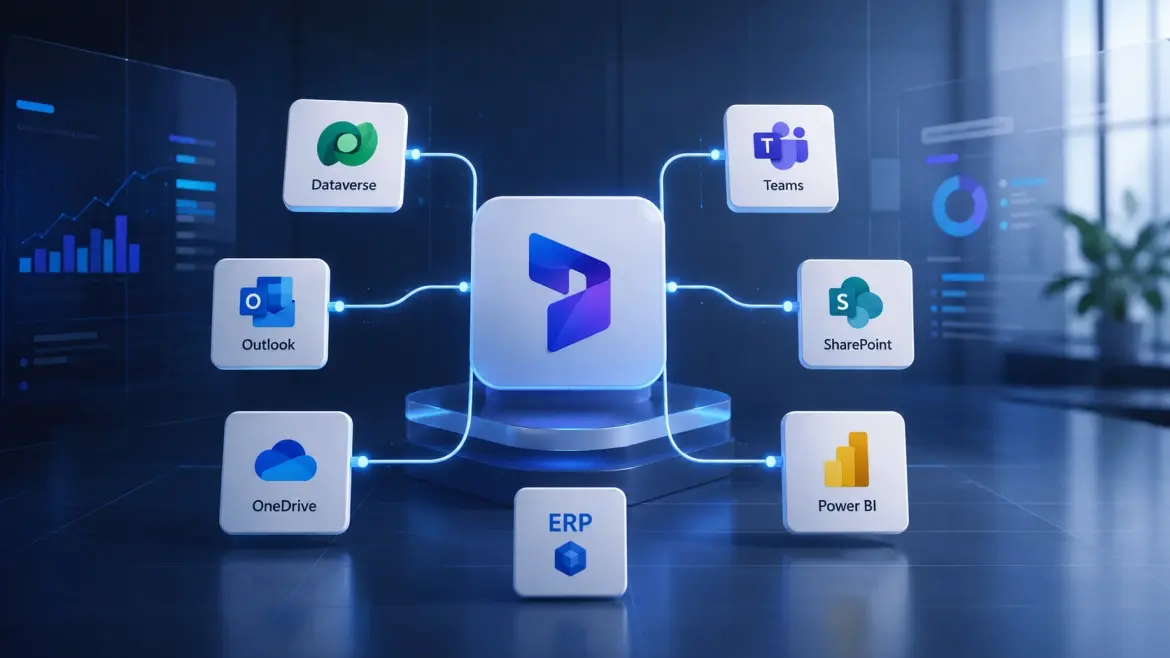
- Move from point-to-point to a hub-and-spoke model. Instead of wiring every system directly to every other system, route data through a central integration layer. It's more resilient, easier to monitor, and dramatically cheaper to maintain as you scale.
- Sync on events, not on schedules. Real-time business events beat polling every time, fewer wasted API calls, faster data availability, and integrations that reflect what's actually happening in the business right now.
- Build in error handling and monitoring from day one. An integration that fails silently is far more dangerous than one that fails loudly. Alerts, logging, and monitoring aren't nice-to-haves, they're the difference between catching a problem in an hour versus catching it in a quarterly audit.
- Treat integration as a living capability, not a checkbox. Your business will keep adding tools, teams, and workflows. Your integration architecture needs to be designed to absorb that change, not require a redesign every time it happens.
The Bottom Line
A bad Dynamics 365 integration rarely looks like a crisis. It looks like "normal." It looks like teams quietly adapting, dashboards that are close enough, and reports that are only a little bit late. That's exactly what makes it dangerous, by the time the cost is visible on a P&L, you've usually already paid it several times over in lost hours, bad decisions, and rework.
The fix isn't necessarily a bigger budget or a full re-platform. Most of the time, it's an honest audit, a smarter architecture, and a partner who's seen this pattern before and knows exactly where to look.
If your Dynamics 365 environment feels "technically integrated" but practically disconnected, that's worth a conversation before it becomes a bigger line item than it needs to be.
Dynamics Monk's integration and implementation team works with organizations across the globe to untangle exactly this kind of integration debt, before it breaks the systems it was supposed to strengthen.